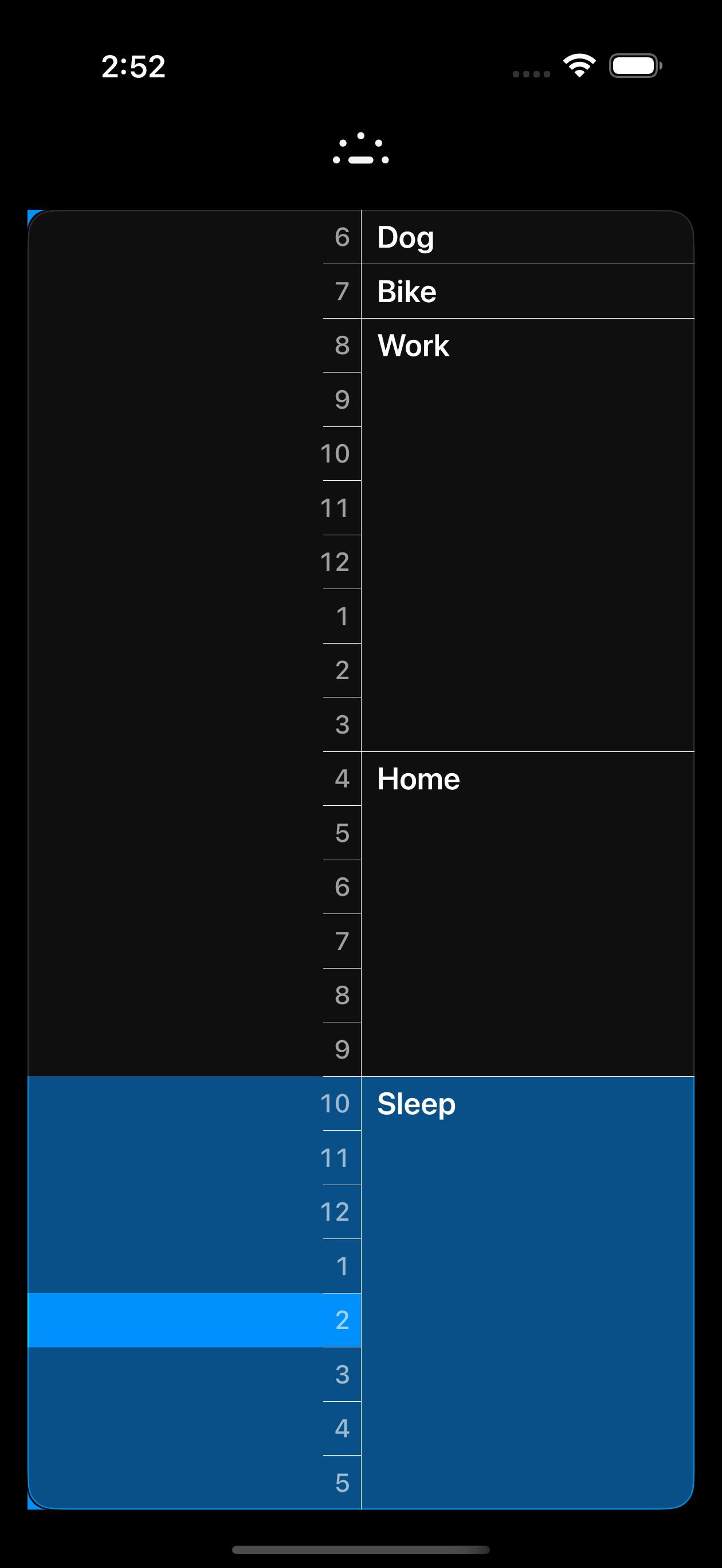
Not a habit tracker. Not a productivity system. Just a quiet structure for each day — built for myself, and my dog Mac.
Available on
Time-based blocks lay out your day from wake-up to sleep. Not a to-do list — a clear, honest picture of how the day could go.
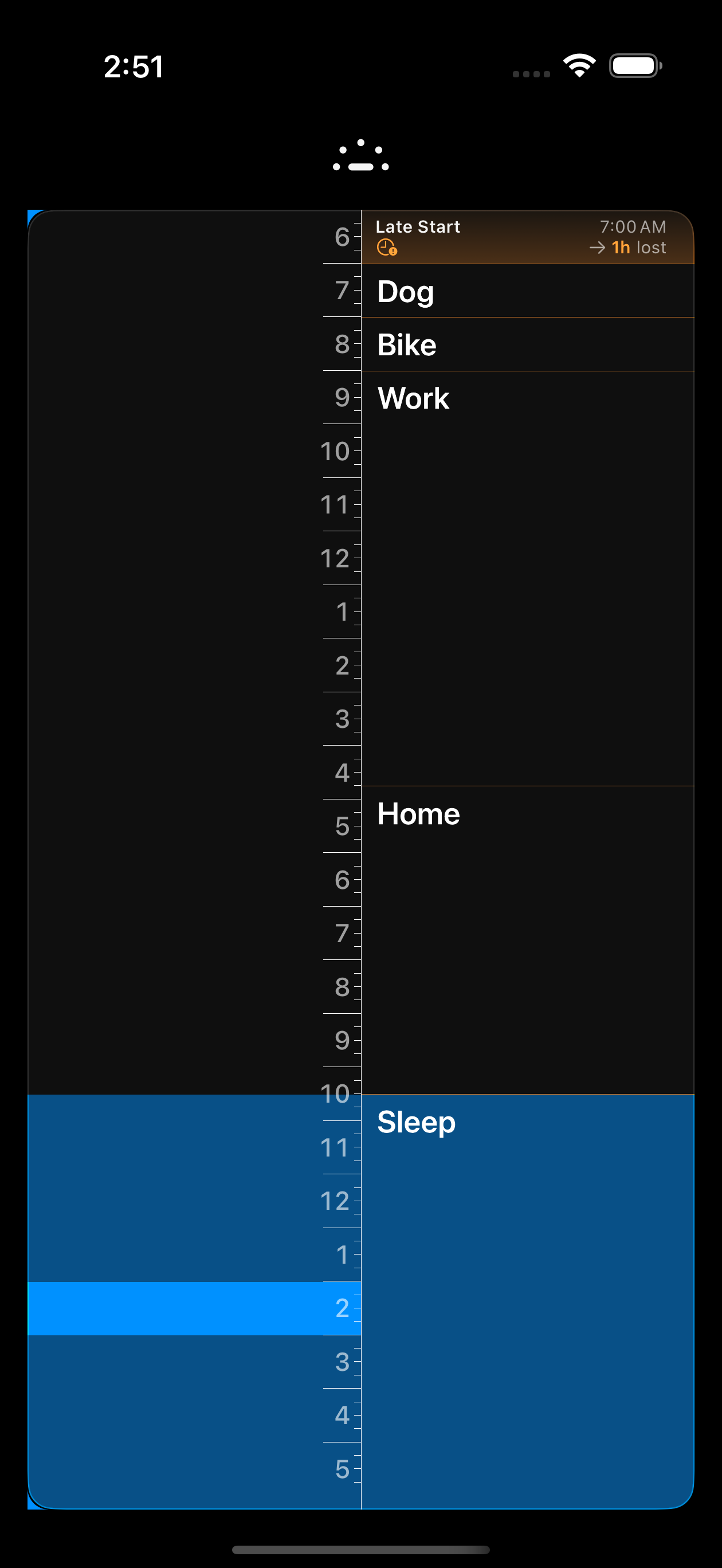
Late Start automatically compresses your blocks around when you actually woke up. No guilt, no manual editing — just the day you still have.
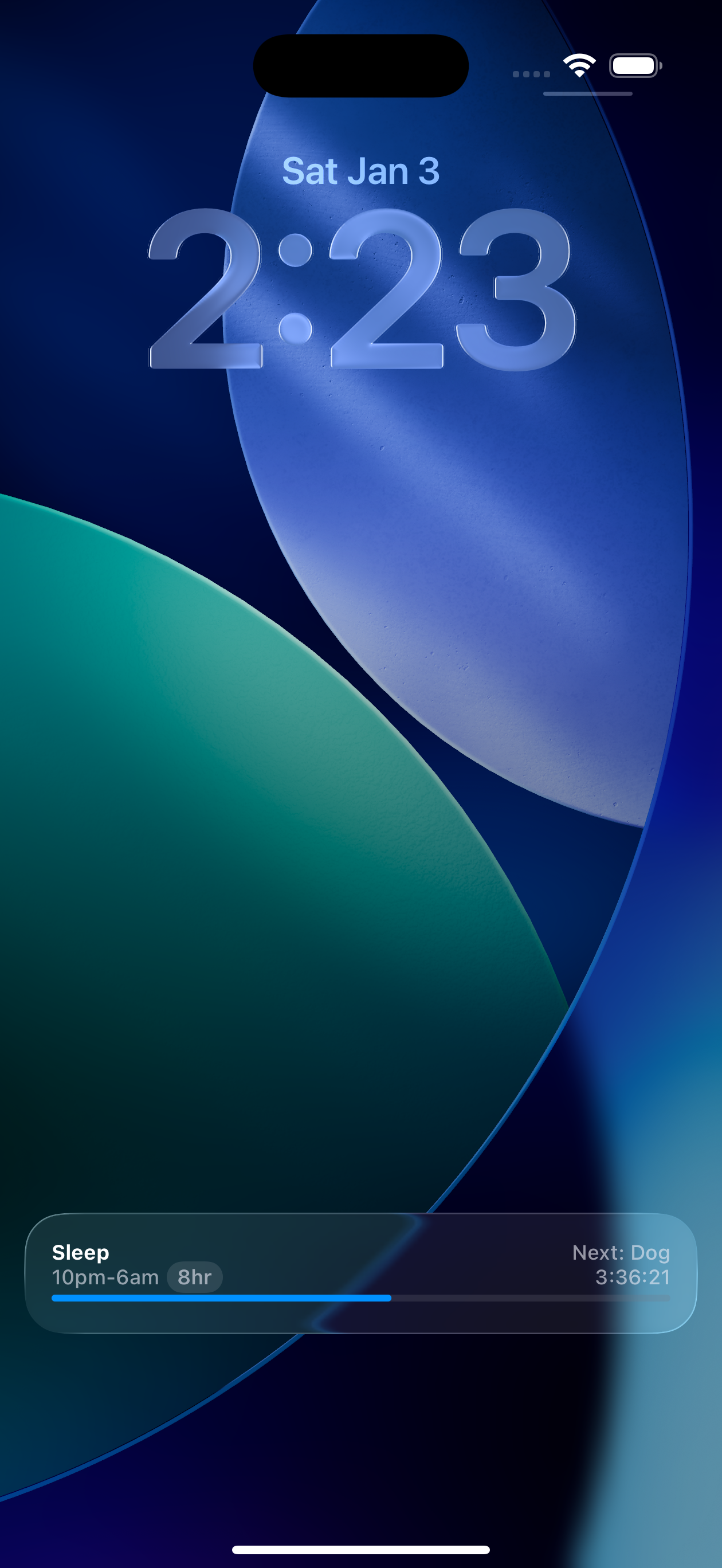
Lock Screen. Home Screen. Apple Watch. Your current block is always a glance away — no need to open the app.
Visual styles that make your day worth looking at — including Solar, which animates from dawn through dusk as your day progresses.
Creating a routine is simple. Open the app, tap the '+' button, set your wake time, and add blocks for each activity you want to include in your day. Each block can have a title, duration, notes, and todos.
Yes. Routine offers multiple visual styles including System, Solar, Color, and Photo themes. You can customize accent colors per routine or app-wide.
Yes! Routine uses cloud sync to keep your routines synchronized across all your Apple devices. Your routines are always up to date on iPhone, iPad, Mac, Apple Watch, and Apple Vision Pro.
Routine is available on iPhone, iPad, Mac, Apple Watch, and Apple Vision Pro. All platforms sync seamlessly via cloud sync.
Live Activities show your current routine block directly on your iPhone's Lock Screen, so you can see your progress at a glance without opening the app.
Yes. Routine is free to download and use. Everything in the app — including Late Start, Day Off, Crash, Shoot the Moon, and calendar integration — is included.